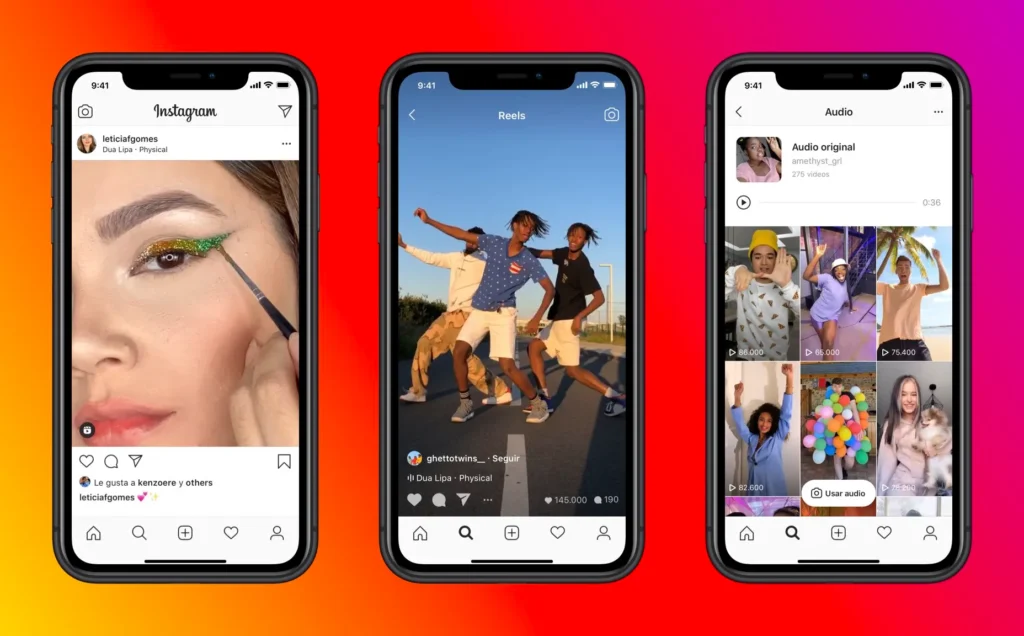
Instagram Reels have become one of the most powerful tools for anyone looking to grow their presence on social media. From boosting visibility to reaching new audiences, Reels can significantly impact your engagement. When you create interesting and engaging content, you’re more likely to get higher IG views, Instagram story viewers, profile visits, and overall Instagram profile interactions.
In this guide, we’ll walk you through how Instagram counts views on Reels, how to check them, and tips to increase your reach effectively.
Why Instagram Reels Matter 💡
Reels aren’t just another feature—they are a chance to showcase your creativity, tell stories, and reach millions. With the right approach, Reels can help you:
- Grow your audience
- Increase engagement
- Boost your profile visibility
The beauty of Reels lies in their versatility. They allow you to connect with your followers in a fun and entertaining way while spreading your brand message effectively.
Whether you’re a business, influencer, or content creator, mastering Reels is essential for standing out on Instagram.
How Instagram Counts Views on Reels 👀
Many Instagram users wonder: What actually counts as a view on a Reel? Here’s what you need to know.
The 3-Second Rule
Instagram considers a view to occur once someone watches your video for at least 3 seconds. It doesn’t matter if the sound is on or off—the key factor is that the viewer remains on your video long enough to engage with it.
If someone scrolls past quickly, Instagram does not count it as a view. This means IG views reflect the number of viewers who genuinely watch your Reel.
How to Check Views on Instagram Reels 📊
There are several ways to track the performance of your Reels:
Method 1: Using Instagram Settings
- Open the Instagram app and go to your profile.
- Tap the Reels icon beneath your bio.
- Select the Reel you want to check.
- Look at the view count, displayed at the bottom-left corner.
Note: This view count only shows when you are on your Reels tab.
Method 2: Using a Professional Account
Instagram’s professional account gives you detailed insights about your Reels. You can track:
- Plays
- Likes, comments, and shares
- Saves
- Audience reach
Steps to switch to a professional account:
- Open Instagram and go to your profile.
- Tap the three lines in the top-right corner → Settings.
- Select Account → Switch to Professional Account.
- Choose your profession and select either Business or Creator.
Method 3: Using Instagram Insights
Once on a professional account, Instagram Insights provides a deep dive into your content performance:
- Open your profile → tap the three horizontal lines → Insights.
- Under the Overview tab, go to the Content section.
- Tap Reels to see a list of all your Reels and their view counts.
- You can also check engagement metrics like likes, comments, saves, and shares, plus your audience demographics.
Method 4: Third-Party Tools
Several third-party apps provide detailed analytics for Instagram Reels, such as Hootsuite, Later, or Sprout Social.
Steps:
- Sign up for a third-party tool.
- Connect your Instagram account.
- Access analytics to monitor views, engagement, and reach across your Reels.
Method 5: Notifications (Less Accurate)
Instagram sometimes sends notifications when someone views your Reel. However, this is not reliable because:
- Many users have notifications turned off.
- Counting notifications manually can be time-consuming.
For accurate results, it’s better to use Instagram Insights or professional account analytics.
Tips to Get More Views on Your Reels 🚀
Now that you know how views are counted, here’s how to maximize them:
- Create Engaging Content
Make visually appealing Reels that capture attention in the first few seconds. Use music, text overlays, and creative transitions. - Use Relevant Hashtags
Hashtags make your Reels discoverable. Include trending and niche-specific hashtags to reach more people. - Collaborate with Others
Partner with other Instagram creators or brands. Collaborative content reaches wider audiences and boosts engagement. - Promote Your Reels
Share your Reels on Instagram Stories, or promote them across other social platforms like Facebook and Twitter. - Post at the Right Time
Use Instagram Insights to find out when your audience is most active. Posting during peak times increases the chances of more views. - Engage With Your Audience
Respond to comments, ask questions, and interact with followers. Higher engagement signals Instagram to show your content to more people.
Conclusion: Understanding Instagram Reel Views ✅
Instagram Reels views are more than just numbers—they indicate how your audience interacts with your content. By creating high-quality, engaging videos and using analytics from socialcart.uk, you can optimize your Reels for maximum reach and engagement.
Knowing how views are counted helps you understand your audience better, improve your content, and grow your Instagram presence effectively.
Whether you’re tracking profile visits, story viewers, or overall engagement, Reels can be a powerful tool to amplify your brand on Instagram.